Add Rational Expressions Calculator . How to calculate the value of recurring complex fractions; The procedure to use the adding and subtracting rational expression calculator is as follows: Adding And Subtracting Rational Expressions Calculator With Steps from dolgo-noseg.blogspot.com You can add two or more rational expressions with the help of a free adding rational. Identify the search keyword that you are interested in (i.e. Add rational expressions calculator) in the leftmost column below.
Calculating Image File Size. Multiply total number of pixels by the bit depth of the detector (16 bit, 14 bit etc.) to get the total number of bits of data. The image height in pixels the image width in pixels the colour depth per pixel
How To Calculate File Size Of Image Images Poster from imagesposter.blogspot.com
Storing text files in binary text files are stored using a character set such as ascii code or unicode. Divide the number of bytes by 1024 to get the image size in kilobytes. After submitting your figures, your calculations will display on the.
Read More Here About Dpi And Bit Depth.
Storing text files in binary text files are stored using a character set such as ascii code or unicode. Click on start to start the compression process. On the home tab of the paint toolbar, click the “resize” button.
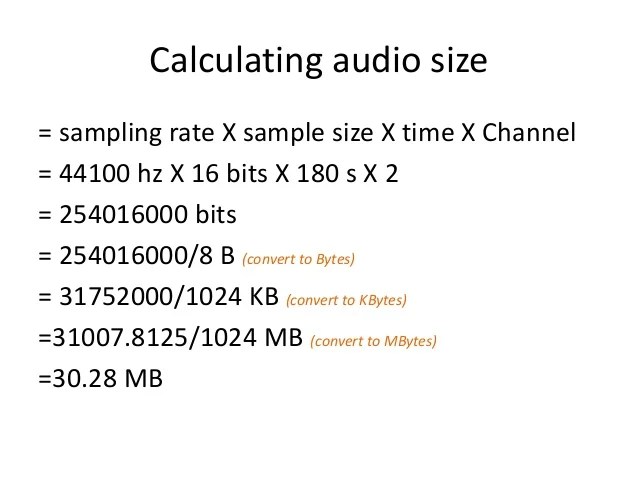
7 X 6 X 500 X 500 X 16 = 168,000,000 Bits 168000000/8.
The lower the quality, the better the compression! File size in kilobyte (kb) = (1,920 x 1,536) x 16 / (8 x 1,024) = 5,780 kb. Divide the number of bytes by 1024 to get the file size in kilobytes.
It Uses Percentage By Default.
Calculating file size involves following a similar set of steps regardless of the file type, these steps can be broken down very generically to the following: How to reduce the image file size using pil. Multiply the width and height of the image, in pixels, to get the total pixel count.
Digital Data Consists Of Binary Information And Is Stored As A Collection Of 0'S And 1'S.
On a computer system, numbers, text, pictures, sound files, video clips and computer programs are all stored using binary code. 12 m b (12 mp x 8 bit/pixel) You can select a reduction quality, by dragging the percentage slider between 0 and 100.
Paint Gives You The Option Of Resizing By Percentage Or By Pixels.
Divide by 1024 again and get the file size in megabytes. Paxscan 2520 flat panel detector with 16 depth bit and 1,920 horizontal pixels and 1,536 vertical pixels. It can be an image, document or even a video.


Comments
Post a Comment